
All Collections
Curated sets of cursor packs recommended by our team.
 Aja TarronUpgrade your browser with Aja Tarron cursors! This custom cursor pack for Chrome brings stylish and cute cursors inspired by Trollhunters.
 RappersCustomize your browser with stylish Rappers cursors! Get a cool cursor pack for Chrome browser featuring famous rap artists. Try Custom Cursor now!
 Hunter × HunterUpgrade your browser with a Hunter × Hunter custom cursor pack for Chrome! Cute and stylish cursors featuring Gon, Killua, Hisoka, and more.
 UndertaleEnhance your browser with a custom cursor pack featuring Undertale cursors like Sans, Frisk’s Heart, and Chara’s Knife. Fun and easy to install!
 Christmas Holiday CursorsChristmas holiday themed custom cursors.
 Friday Night Funkin CursorsFriday Night Funkin (FNF) custom mouse cursors.
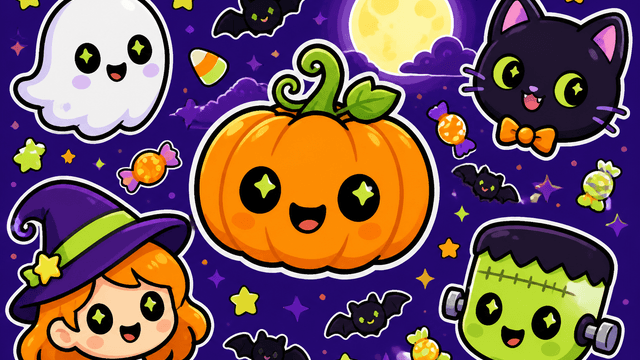 HalloweenTransform your Chrome this Halloween with our custom cursor for chrome collection. Enjoy spooky, unique designs that bring your browser to life, now!!
 My Hero Academia CursorsMy Hero Academia anime cursors for your browser.
 Hello KittyTransform your cursor with the Hello Kitty collection. Easy to install and compatible with major browsers. Download your custom cursor today!
 Pixel ArtPixel Cursor Collections consist of unique pixel-style computer cursors, ideal for enthusiasts of retro design, pixel art, and minimalist interfaces.
 Star Wars cursorsUnleash the Force with custom Star Wars cursors. Choose from lightsabers to Yoda and personalize your screen with legendary icons.
 Minion Custom CursorExplore Minion custom cursors to add mischief to your screen. Perfect for Despicable Me fans seeking a playful browsing experience!
Browse cursor collections by theme
Collections group cursor packs by vibe and aesthetic - anime, neon, minimal, pixel art, and more. Open a collection to discover matching packs, preview the designs, and install them via the Cursor Space extension.
Curated picks
Hand-selected sets that look great together.
Quick discovery
Find packs faster without browsing the full catalog.
Easy install
Add packs to the extension in a few clicks.
How to use collections
- Open a collection that matches your style.
- Pick a pack from the collection and open its page.
- Install the Cursor Space extension if you haven’t yet.
- Add the pack to the extension and apply it.
FAQ
Quick answers to common questions about cursor packs, collections, and installation.
What’s the difference between packs and collections?
A pack is a single cursor set. A collection groups multiple packs around a shared theme so you can discover similar styles faster.
Do collections work on Chrome and Edge?
Yes. Open a pack from a collection and install it via the Cursor Space browser extension for Chrome or Edge.
How do I install a pack from a collection?
Open the collection, choose a pack, click install or add, then apply it in the Cursor Space extension. Your cursor updates immediately.
Are collections curated or automatic?
Collections on Cursor Space are curated around themes like neon, anime, pixel art, and more so you can browse by style instead of searching pack by pack.